Practical AI assistance / by task
Start with the work. Then choose the tool.
For bid managers and growing teams using AI to support document-heavy tender work. Start with the task, then consider the working environment, data sensitivity, source verification and the human check the tool cannot replace.

A controlled approach
Use AI as a controlled first pass.
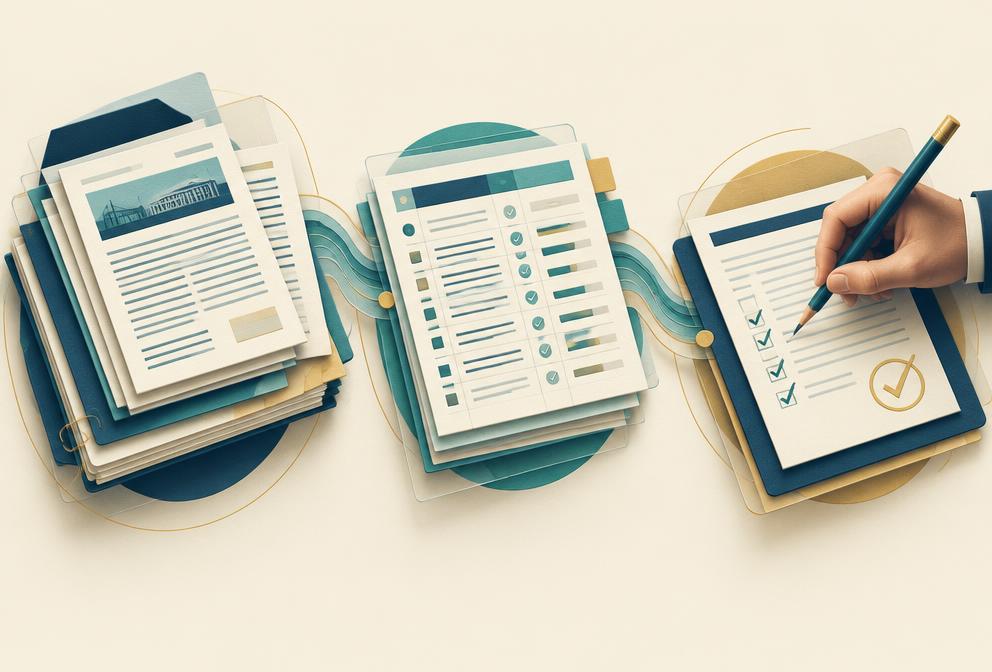
01 / Define the task
Be clear about what you want AI to help with—for example, extract requirements, compare two amendments or improve a draft response.
02 / Check what information may be used
Before uploading anything, confirm that the tender, client or company information is permitted in that tool and account. Remove or generalise sensitive details where appropriate.
03 / Use AI for a first pass
Ask for a structured draft, extraction, comparison or review. Treat the output as working material—not as an approved answer or decision.
04 / Verify before relying on it
Check important outputs against the issued tender documents and approved company sources. Keep technical, commercial, contractual and final approval decisions with the responsible people.
Before you choose a tool
Fit the tool to the work.
A useful AI tool is not automatically the right place for every tender document. Consider the task, the information being handled and the controls your organisation requires.
Working environment
Prefer tools that fit the systems your team already controls, such as Microsoft 365, Google Workspace or an approved business AI workspace.
Data sensitivity
Confidential, client-restricted or personal information should only be used in an environment your organisation has approved for that material.
Check against the original source
For requirements, amendments and contract clauses, keep a clear reference to the original document, section or page so another reviewer can quickly check where the information came from and whether the AI interpreted it correctly.
File and task fit
Long PDFs, spreadsheets, meetings, drafting and web research do not always need the same tool.
Human review
AI can create a first pass. Bid, technical, commercial and legal owners remain responsible for verification and approval.
Tools to evaluate
Examples to evaluate for the task and approved working environment, not endorsements.
ChatGPT Business / Enterprise
General document analysis, structured extraction, drafting and comparison workflows.
Microsoft Copilot / Microsoft 365 Copilot
Teams already working heavily in Word, Excel, Outlook, Teams and Microsoft 365.
Google Workspace with Gemini
Teams working in Docs, Sheets, Drive, Gmail and other Workspace tools.
Claude for Work
Long-form document analysis, structured review and drafting workflows.
Adobe Acrobat AI Assistant
PDF-heavy review, document summaries, source-linked questions and contract/document comparison.
Product capabilities, plans, terms and data-handling controls change. Verify the current vendor documentation and your organisation’s approval before using tender or client information.
AI Tools by Task
Find the task in front of you.
Open a task for a possible workflow, example prompt, human check and tools to evaluate. Start with the task, data sensitivity and approved working environment—not the brand.
01Analyse an RFP
Create a first-pass map of the tender package and its sections.
- Example workflow
- Prepare an approved source extract, request a structured first pass, then check it against the source.
- Example prompt
- “List the sections, stated deliverables and deadlines in this approved extract. Quote the source section for each item; mark any uncertainty.”
- Human check
- Compare the map with the complete issued package, including schedules and addenda.
- What not to upload
- Do not upload confidential tender, client or personal data without permission and an approved data-handling arrangement.
- Limits and alternatives
- AI can omit or misread details. A manual source-led checklist remains an alternative.
- Examples to evaluate
- Adobe Acrobat AI Assistant; ChatGPT Business / Enterprise; Claude for Work; Google Workspace with Gemini.
Evaluate the current plan, data controls and source-handling features before use.
02Extract Requirements
Surface candidate mandatory and scored requirements for a controlled register.
- Example workflow
- Prepare an approved source extract, request a structured first pass, then check it against the source.
- Example prompt
- “Extract candidate requirements from this approved extract, with exact source references and an uncertainty flag. Do not infer missing requirements.”
- Human check
- Confirm wording, mandatory status and evaluation conditions against the originals.
- What not to upload
- Do not upload confidential tender, client or personal data without permission and an approved data-handling arrangement.
- Limits and alternatives
- AI can omit or misread details. A manual source-led checklist remains an alternative.
- Examples to evaluate
- ChatGPT Business / Enterprise; Claude for Work; Microsoft 365 Copilot; Google Workspace with Gemini.
Evaluate the current plan, data controls and source-handling features before use.
03Build a Compliance Matrix
Draft a requirements-to-response structure with owners and evidence fields.
- Example workflow
- Prepare an approved source extract, request a structured first pass, then check it against the source.
- Example prompt
- “Turn these verified requirements into a table with source, response owner, evidence needed and status. Leave unknown fields blank.”
- Human check
- Review every row for omissions, duplicates, ownership and evidence quality.
- What not to upload
- Do not upload confidential tender, client or personal data without permission and an approved data-handling arrangement.
- Limits and alternatives
- AI can omit or misread details. A manual source-led checklist remains an alternative.
- Examples to evaluate
- Microsoft 365 Copilot; ChatGPT Business / Enterprise; Google Workspace with Gemini; Claude for Work.
Evaluate the current plan, data controls and source-handling features before use.
04Compare Documents & Amendments
Compare approved versions and identify possible changes for review.
- Example workflow
- Prepare an approved source extract, request a structured first pass, then check it against the source.
- Example prompt
- “Compare these approved extracts. Quote additions, removals and changed wording with their source locations.”
- Human check
- Validate changes against the official amendments and update the working controls.
- What not to upload
- Do not upload confidential tender, client or personal data without permission and an approved data-handling arrangement.
- Limits and alternatives
- AI can omit or misread details. A manual source-led checklist remains an alternative.
- Examples to evaluate
- Adobe Acrobat AI Assistant; Microsoft 365 Copilot; ChatGPT Business / Enterprise; Claude for Work.
Evaluate the current plan, data controls and source-handling features before use.
05Summarise Meetings & Actions
Organise meeting notes into draft decisions, actions and open questions.
- Example workflow
- Prepare an approved source extract, request a structured first pass, then check it against the source.
- Example prompt
- “From these approved notes, list actions, proposed owners, dates and unresolved questions. Mark anything not explicitly stated.”
- Human check
- Confirm assignments and decisions with attendees before circulating.
- What not to upload
- Do not upload confidential tender, client or personal data without permission and an approved data-handling arrangement.
- Limits and alternatives
- AI can omit or misread details. A manual source-led checklist remains an alternative.
- Examples to evaluate
- Microsoft 365 Copilot; Google Workspace with Gemini; ChatGPT Business / Enterprise; Claude for Work.
Evaluate the current plan, data controls and source-handling features before use.
06Draft/Improve Proposal Content
Outline or edit an answer using verified facts and approved evidence.
- Example workflow
- Prepare an approved source extract, request a structured first pass, then check it against the source.
- Example prompt
- “Draft an outline for this response using only the approved evidence below. Mark gaps rather than inventing claims.”
- Human check
- Have subject experts approve claims, evidence, tone and fit to the question.
- What not to upload
- Do not upload confidential tender, client or personal data without permission and an approved data-handling arrangement.
- Limits and alternatives
- AI can omit or misread details. A manual source-led checklist remains an alternative.
- Examples to evaluate
- Microsoft 365 Copilot; ChatGPT Business / Enterprise; Claude for Work; Google Workspace with Gemini.
Evaluate the current plan, data controls and source-handling features before use.
07Review Proposal Gaps
Flag possible missing answers and inconsistencies across a draft.
- Example workflow
- Prepare an approved source extract, request a structured first pass, then check it against the source.
- Example prompt
- “Compare this approved response extract to the verified requirement list. Identify possible gaps and quote both sources.”
- Human check
- Confirm every flagged gap and assess the whole submission manually.
- What not to upload
- Do not upload confidential tender, client or personal data without permission and an approved data-handling arrangement.
- Limits and alternatives
- AI can omit or misread details. A manual source-led checklist remains an alternative.
- Examples to evaluate
- ChatGPT Business / Enterprise; Claude for Work; Microsoft 365 Copilot; Google Workspace with Gemini.
Evaluate the current plan, data controls and source-handling features before use.
08Analyse Contract Requirements
Create a review list of obligations and commercial terms.
- Example workflow
- Prepare an approved source extract, request a structured first pass, then check it against the source.
- Example prompt
- “List the obligations and dates stated in this approved clause extract, with exact citations and questions for the contract owner.”
- Human check
- Commercial and legal owners assess obligations, exceptions and risk; AI is not legal advice.
- What not to upload
- Do not upload confidential tender, client or personal data without permission and an approved data-handling arrangement.
- Limits and alternatives
- AI can omit or misread details. A manual source-led checklist remains an alternative.
- Examples to evaluate
- Adobe Acrobat AI Assistant; Microsoft 365 Copilot; ChatGPT Business / Enterprise; Claude for Work.
Evaluate the current plan, data controls and source-handling features before use.
09Research an Opportunity
Organise approved opportunity information into a decision brief.
- Example workflow
- Prepare an approved source extract, request a structured first pass, then check it against the source.
- Example prompt
- “Summarise these approved opportunity facts under fit, capability, timing and unknowns. Distinguish facts from assumptions.”
- Human check
- Verify sources and independently confirm opportunity relevance and eligibility.
- What not to upload
- Do not upload confidential tender, client or personal data without permission and an approved data-handling arrangement.
- Limits and alternatives
- AI can omit or misread details. A manual source-led checklist remains an alternative.
- Examples to evaluate
- Microsoft Copilot; Google Workspace with Gemini; ChatGPT Business / Enterprise; Claude for Work.
Evaluate the current plan, data controls and source-handling features before use.
10Prepare Bid/No-Bid
Prepare a structured first-pass bid/no-bid discussion.
- Example workflow
- Prepare an approved source extract, request a structured first pass, then check it against the source.
- Example prompt
- “Using these verified opportunity facts, list reasons to pursue, constraints, unknowns and decisions needed. Do not make the final decision.”
- Human check
- Decision-makers assess capacity, strategy, risk and commercial case themselves.
- What not to upload
- Do not upload confidential tender, client or personal data without permission and an approved data-handling arrangement.
- Limits and alternatives
- AI can omit or misread details. A manual source-led checklist remains an alternative.
- Examples to evaluate
- ChatGPT Business / Enterprise; Claude for Work; Microsoft 365 Copilot; Google Workspace with Gemini.
Evaluate the current plan, data controls and source-handling features before use.
Human control
The decision stays with your team.
AI cannot replace verification of the issued documents or professional judgement.
Technical representations and evidence
Pricing and commercial positions
Legal and contract positions
Approvals and final submission
Apply it to your work
Build a usable AI workflow around a real tender task.
Professional support can help define the controls and human checks that fit your team's process.